

Shop: cart
Shows what the buyer has put in the cart. Each item is a separate message with the "-", quantity, "+" and "Delete" buttons. At the end comes a message with the total and the "Checkout" button.
Settings
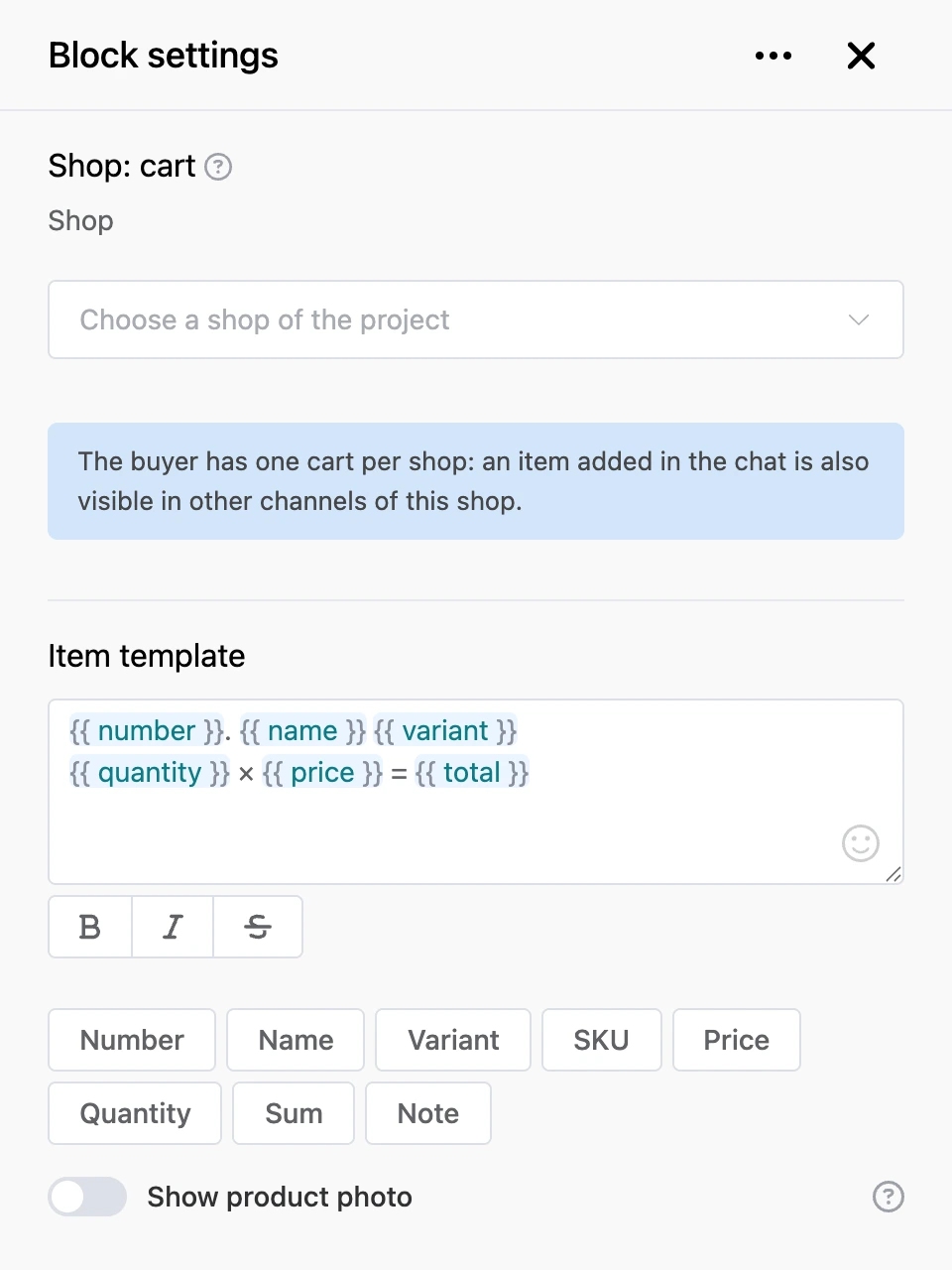
- "Shop" — the project shop whose cart to show.
- "Item template" — how an item line looks. The buttons under the field insert: "Number", "Name", "Variant", "SKU", "Price", "Quantity", "Sum", "Note".
- "Show product photo" — a photo next to the item line. In VK, photos are not sent in the cart.
- "Total message" — the text with the overall sum. "Sum", "Items total" and "Lines total" are available.
- "Total after the list" — turn it off to put the sum before the list.
- "Empty cart message" — what to write if the cart is empty.
- "Checkout button" — the caption of the button under the total.
- 'Command "add one"', 'Command "remove one"', 'Command "remove item"' — text commands for messengers without buttons under a message. The buyer types them as text;
{n}is the item number in the cart. For example, "More 2" adds one unit of the second item.
Only the placeholders from the buttons under the field work in the item template and the total message.
Outputs
- "Checkout" — the buyer pressed the checkout button or typed its caption as text.
- "Any other phrase" — the buyer wrote something that is not a cart command.
The block has no "Continue" output.
Good to know
- The "-", "+" and "Delete" buttons work in Telegram, VK, MAX and the web chat.
- If there is less in stock than the buyer asks for, the quantity does not change and the bot explains why.
- With an empty cart, the block sends only the empty cart message — without the checkout button.